Agentic Tools Tutorial
This tutorial introduces AI coding agents: tools that can read files, write code, and run commands on your computer. They are different from chatbots because they act on your local environment directly.
Adapted from Jay Moore's Skills Cookbook at Imperial College London.
How AI Coding Agents Work
A coding agent is not a single thing — it is a stack of three layers:
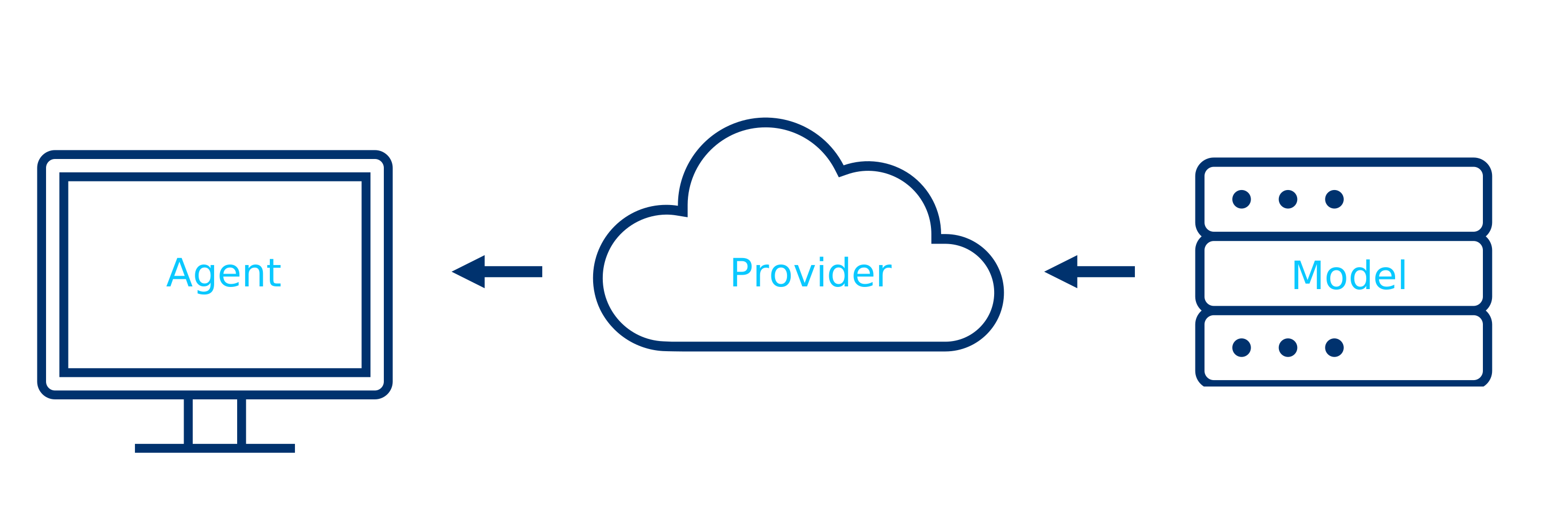
| Layer | What it does | Examples |
|---|---|---|
| Agent | Local program that reads files, runs commands, writes code | GitHub Copilot, Claude Code, OpenCode |
| Provider | Service hosting the AI model | GitHub, Anthropic, OpenRouter |
| Model | The LLM generating code | Claude Sonnet 4, GPT-4.1, Kimi K2.5 |
The agent runs on your machine. It sends your prompt (plus file context) to the provider, gets a response, and executes it locally. Your genomic data stays on your laptop.
Note
Free models on OpenRouter may train on your interactions. If data privacy is important, use a paid model or check the model's training policy on OpenRouter before use.
Option 1: GitHub Copilot (recommended for beginners)
Runs inside VS Code with a visual interface.
- Get free access: sign up for GitHub Education with your university email
- Install VS Code: download from code.visualstudio.com
- Install the extension: VS Code > Extensions > search "GitHub Copilot" > Install
- Sign in with your GitHub account
- Open the chat panel:
Ctrl+Shift+I(Windows/Linux) orCmd+Shift+I(Mac) - Select a model from the dropdown (Claude Sonnet 4 recommended)
- Test it: create a folder, open it in VS Code, and ask Copilot to write a Python script
Option 2: Claude Code (for terminal users)
Runs in your terminal. Powerful, direct, no GUI.
Requires a paid Anthropic API key. Set ANTHROPIC_API_KEY in your environment.
Option 3: OpenCode + OpenRouter
Open-source desktop app that connects to multiple providers. Free models available (note: free models may train on your interactions).
Your First AI-Assisted Analysis
Once your agent is running, try this workflow:
1. Download sample data
Get the Palmer Penguins dataset (CSV). This is a small, clean dataset of penguin measurements from Antarctica.
2. Use Plan mode first
Most agents have a "Plan" mode that thinks before acting. Use it:
"Make me some figures of the Palmer Penguins dataset. Output scatter plots comparing body measurements across penguin species."
The agent will outline its approach before writing code. Review the plan, then approve execution.
3. Let the agent build
Switch to execution mode. The agent will:
- Read the CSV
- Write a Python script with matplotlib/seaborn
- Generate publication-quality figures
- Save them to disk
4. Iterate
Ask for changes: "Add a correlation matrix", "Use a different colour palette", "Export as PDF". The agent modifies the code and reruns.
Managing Context
AI agents have a context window (how much text they can "remember" at once). For Claude, this is up to 200,000 tokens (~1,500 pages).
Context rot happens when the window gets too full. Early instructions get buried under recent noise, and the agent starts hallucinating.
Tips
- Start fresh between unrelated tasks: use
/clearto reset - Use
/compactto summarise long conversations (97% token reduction while preserving key decisions) - Read only the files you need: each file read costs tokens
- Keep prompts specific: "Annotate this VCF with ClinVar significance" beats "Do some analysis on my data"
Cost awareness
Tokens cost money on paid plans. A 50-message conversation at 150k tokens on Claude Sonnet costs about $22.50 in input alone. Use /compact regularly.
Applying This to ClawBio
Now that you have an agent running, use it to build a ClawBio skill:
- Clone the repo: ask your agent to
git clone https://github.com/ClawBio/ClawBio.git - Run a demo:
python3 skills/pharmgx-reporter/pharmgx_reporter.py --demo - Build your skill: follow the Setup and Build a Skill guides, using your agent to help write the code
The agent writes the Python. You provide the domain decisions. Together, that is a ClawBio skill.